










What Is Custom Software? Definition, Examples, Pros and Cons
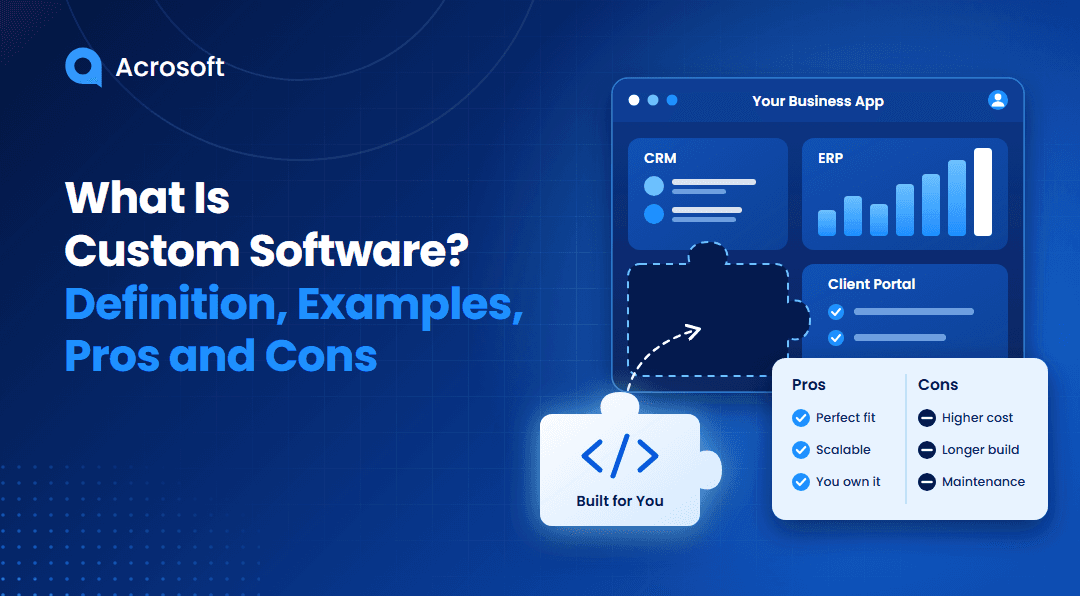
Businesses often rely on software to manage daily operations, serve customers, and organize information. However, ready-made applications may not support every business process or specialized requirement.
Custom software offers another option. It gives businesses applications designed around their specific goals, workflows, and users. But building a tailored solution requires time, money, and ongoing maintenance.
So, what is custom software, how does it work, and when should a business invest in it? This guide explains its definition, common examples, advantages, disadvantages, and key factors to consider before making a decision.
What Is Custom Software?
Custom software is an application or system developed to meet the specific requirements of a particular business, organization, or group of users. Unlike commercial off-the-shelf software, it focuses on defined business processes rather than general market needs.
For example, a retail company might need an inventory management system that connects its warehouses, suppliers, sales channels, and payment records. A standard application may cover some of these tasks, but a custom solution can bring them together based on the company's actual operations.
Businesses can develop custom software for internal use, customer-facing services, or complete digital products. These solutions may include:
Web applications
Mobile applications
Customer relationship management (CRM) systems
Enterprise resource planning (ERP) platforms
Inventory and order management systems
Employee management applications
Industry-specific business platforms
Custom software development involves more than writing code. It includes understanding business requirements, planning the system, designing its interface, developing features, testing functionality, and providing ongoing support.
The main purpose is to create software that supports specific business activities without requiring teams to depend entirely on generic applications.
Custom Software vs. Off-the-Shelf Software: What's the Difference?
Custom software and off-the-shelf software serve different business requirements. The main difference lies in how developers design, distribute, and maintain each solution.
Off-the-shelf software is a ready-made product developed for a broad audience. Businesses can purchase a license or subscribe to use it. Microsoft 365, QuickBooks, and Shopify are common examples.
Custom software is developed for a specific organization or use case. The business defines its requirements, selects the necessary features, and works with a development team to build the application.
Here is a closer comparison:
Comparison Factor | Custom Software | Off-the-Shelf Software |
Development | Built for specific requirements | Developed for a broad audience |
Features | Based on business needs | Predefined feature set |
Initial Cost | Usually higher | Usually lower |
Implementation | Requires development and testing | Often available immediately |
Flexibility | Supports tailored changes | Limited by available settings and features |
Integration | Can support specific integration requirements | Depends on available integrations |
Maintenance | Requires an assigned maintenance approach | Usually managed by the software vendor |
Scalability | Can be expanded through further development | Depends on the provider's plans and capabilities |
Ownership | Depends on the development and licensing agreement | Usually accessed under a license or subscription |
Neither option works best for every business.
A small company with standard accounting and communication needs may benefit from ready-made applications. A larger organization with specialized workflows may need custom software to connect different departments and manage complex operations.
Some businesses also combine both options. They use commercial applications for everyday tasks and develop custom components for specialized processes.
The right choice depends on your requirements, budget, existing systems, and long-term plans.
Common Examples of Custom Software Across Different Industries
Custom software supports different business activities across multiple industries. Its features depend on the users, operational requirements, and intended outcomes.
Here are some practical examples.
1. Customer Relationship Management Systems
Businesses use CRM systems to organize customer information, track sales activities, and manage communication.
A custom CRM can include features that match a company's sales process. For example, a B2B company may need lead assignment rules, approval workflows, customer history, and automated follow-ups within one application.
This helps sales teams manage their activities through a system designed around their specific processes.
2. Inventory and Warehouse Management Systems
Retailers, manufacturers, and distributors often manage large inventories across multiple locations.
A custom inventory management system can track stock levels, purchase orders, product movement, and warehouse activities. It can also connect with existing accounting, sales, and supplier systems.
For example, a distributor may need automatic stock updates whenever a warehouse processes an order. A tailored application can support this requirement based on its inventory rules.
3. Healthcare Management Software
Healthcare organizations handle patient records, appointments, billing, and administrative activities.
A custom healthcare application can bring these functions into one platform. It may include appointment scheduling, patient portals, staff management, and connections with other healthcare systems.
The development process must account for applicable privacy, security, and regulatory requirements. These requirements depend on the type of information the application handles and how the organization operates.
4. Financial Management Applications
Financial institutions and businesses use software to manage transactions, accounts, payments, and financial records.
A custom financial application can support specific approval processes, reporting requirements, and transaction rules. For example, a lending company may need an internal platform to manage applications, verify documents, and track approval stages.
Banks, lenders, payment providers, and FinTech startups often need these capabilities alongside strict security and compliance controls. Acrosoft's financial software development services cover banking, lending, payments, insurance, wealth management, and accounting platforms.
5. E-Commerce and Online Ordering Platforms
An e-commerce business may need more than a standard online store.
A custom platform can support specialized product catalogs, pricing rules, customer accounts, order processing, and delivery workflows.
For example, a wholesale company may need different pricing structures for individual customers and business accounts. Custom development can accommodate these requirements within its ordering system.
6. Manufacturing and Production Management Software
Manufacturing companies often coordinate production schedules, equipment, inventory, and quality checks.
A custom manufacturing system can connect these activities and provide better visibility into production operations.
For a deeper look at industry-specific applications, see Acrosoft's guide to manufacturing software solutions.
These examples show that custom software can support many business functions. Its value comes from matching the application to the actual requirements of its users.
What Are the Main Types of Custom Software?
Custom software can take several forms based on its purpose, users, and technical requirements.
Web-Based Applications
Web applications run through internet browsers. Users can access them from supported devices without installing a separate desktop program.
Examples include customer portals, online booking platforms, internal dashboards, and web-based management systems.
Mobile Applications
Custom mobile applications provide features designed for smartphones and tablets.
Businesses may develop them for customers, employees, or field teams. Common uses include mobile ordering, appointment management, delivery tracking, and field service operations.
Desktop Applications
Desktop applications run on computers and support specific business or professional activities.
For example, an engineering company may need a specialized desktop tool to process technical data or manage complex calculations.
Enterprise Software
Enterprise software supports larger business operations and multiple departments.
Examples include custom ERP platforms, HR management systems, supply chain applications, and enterprise reporting tools.
These systems often connect several business functions and require detailed access controls, integrations, and reporting capabilities.
Cloud-Based Software
Cloud-based custom software runs on cloud infrastructure and allows authorized users to access applications and data over a network.
Businesses can use cloud environments to support distributed teams, connect systems, and manage application resources.
The right software type depends on how users access the system, the amount of data it handles, and its integration requirements.
What Are the Advantages of Custom Software?
Custom software offers several benefits when its features address genuine business requirements. Here are some of the main advantages.
1. Fits Your Business Requirements
Every organization has its own processes, priorities, and operational rules.
Ready-made applications may include features that a business never uses. They may also lack functions required for specific activities.
Custom software allows businesses to define the features they need. Developers can build workflows around existing operations instead of requiring employees to adjust every process to match a generic application.
2. Offers Greater Flexibility
Business requirements can change as an organization expands, introduces new services, or updates its internal processes.
Custom software gives businesses more control over future improvements. They can request new features, modify existing functions, and adjust workflows based on changing requirements.
This flexibility can be useful for companies with specialized operations or evolving business models.
3. Supports Business Growth
A growing company may eventually outgrow its existing software.
Custom applications can accommodate additional users, new departments, larger data volumes, and expanded business functions through planned development.
For example, a company may initially need a basic order management system. As its operations expand, it can add supplier management, advanced reporting, and additional warehouse functions.
However, scalability still depends on the original architecture, infrastructure, and quality of development.
4. Integrates With Existing Systems
Businesses often use several applications to manage different activities.
Disconnected systems can create duplicate records and require employees to transfer information manually.
Custom software can connect with existing databases, payment platforms, CRM systems, and other business applications through suitable APIs and integration methods.
This allows information to move between systems based on defined business rules.
For example, an online ordering application can connect with inventory and accounting software to support order processing and record updates.
Businesses can also learn how custom software modernizes operations through tailored applications and system integration.
5. Provides More Control Over Features and Updates
With off-the-shelf software, businesses depend on the vendor's product roadmap and release schedule.
Custom software gives organizations greater influence over feature priorities and development decisions.
They can plan updates around business requirements instead of waiting for a commercial provider to introduce a specific feature.
However, this control depends on the development agreement, source code access, intellectual property rights, and availability of a maintenance team.
6. Supports Specific Security Requirements
Different industries handle different types of business and customer information.
A custom application can include security controls based on its intended users, data, and operational environment.
These controls may include role-based access, authentication, encryption, audit logs, and data protection measures.
However, custom development does not automatically make an application more secure. Developers must implement appropriate security practices, test the application, and maintain it after launch.
The NIST Secure Software Development Framework (SSDF) Version 1.1 provides recommendations for integrating security into software development and reducing software vulnerability risks.
7. Reduces Dependence on Multiple Applications
Some businesses use separate applications for sales, inventory, reporting, and customer communication.
Managing several tools can create additional work and make information harder to access.
A custom platform can combine selected functions into one application. This gives employees a more consistent way to complete related tasks.
The business still needs to evaluate integration, licensing, infrastructure, and maintenance costs before consolidating its systems.
What Are the Disadvantages of Custom Software?
Despite its benefits, custom software requires careful planning and ongoing investment. Businesses should understand its limitations before starting development.
1. Higher Initial Development Costs
Custom software usually requires a larger upfront investment than purchasing an existing application.
The total cost depends on several factors, including:
Number and complexity of features
User interface and design requirements
Backend architecture
Third-party integrations
Security and compliance requirements
Development team size
Testing and deployment requirements
A basic internal application may require fewer resources than a large enterprise platform with multiple integrations and user roles.
Businesses should define their requirements and estimate the total project cost before approving development.
2. Longer Development Time
Ready-made applications are often available for immediate use. Custom software requires several development stages before users can access the finished product.
The team must understand business requirements, plan the architecture, design the interface, develop features, and test the application.
Complex projects may take several months or longer, depending on their scope and technical requirements.
A minimum viable product (MVP) can help businesses launch essential features first and expand the application through later development phases.
3. Ongoing Maintenance Responsibilities
Custom software requires attention after launch.
Businesses need to plan for bug fixes, security updates, infrastructure management, performance monitoring, and feature improvements.
These activities require technical resources and contribute to the total cost of ownership.
Organizations should establish a maintenance plan before development begins. This helps them understand who will manage the application and how future updates will be handled.
4. Dependence on Development Expertise
Custom applications require skilled professionals who understand their architecture, codebase, and technical dependencies.
If the original development team becomes unavailable, another team may need time to understand the system before making changes.
Businesses can reduce this risk by securing proper documentation, source code access, technical handover materials, and clear ownership terms.
5. Risk of Unclear Project Requirements
A custom application may miss important business requirements if the development team starts with incomplete information.
For example, a company may request an inventory platform without defining how it handles product returns, stock transfers, or warehouse permissions.
These missing details can lead to additional development work and unexpected expenses.
A structured discovery phase, clear documentation, and regular stakeholder reviews help reduce this risk.
When Should a Business Choose Custom Software?
Custom software makes sense when existing applications cannot support important business requirements.
However, a custom build is not always the best option. Businesses should evaluate their actual needs before committing to development.
Consider custom software when:
Your business follows specialized workflows that existing applications cannot support.
You need to connect several systems through specific integrations.
Your current software limits important operational activities.
You require features designed for a particular industry or customer group.
You need greater control over application functionality and future updates.
Your long-term business plans justify the development and maintenance investment.
Off-the-shelf software may be a better choice when your requirements are standard, your budget is limited, or you need a solution immediately.
A hybrid approach can also work well. Businesses can use ready-made applications for common activities and develop custom features for specialized requirements.
According to Gartner's Size the Market Opportunity for Custom Software Development Services, the custom software development services market was growing at an 8.9% compound annual growth rate (CAGR). It was projected to exceed $283 billion by 2028. This market forecast highlights the commercial scale of demand for tailored software development services.
The final decision should consider the expected business value, development cost, implementation time, and long-term maintenance requirements.
What Should You Consider Before Developing Custom Software?
A successful custom software project starts with clear requirements and realistic expectations.
Before beginning development, consider these factors.
Define Your Business Goals
Identify the activities you want the software to support.
Are you trying to automate internal tasks, connect existing systems, improve customer service, or introduce a new digital product?
Clear goals help the development team understand the purpose of the application and prioritize essential features.
Identify Your Target Users
Understand who will use the application and what they need from it.
An internal employee dashboard has different requirements from a customer-facing mobile application.
Consider user roles, access permissions, technical experience, and the tasks each group needs to complete.
Review Your Existing Technology
Check your current applications, databases, infrastructure, and integration requirements.
This helps identify technical dependencies before development begins.
For example, an organization may need to connect its new platform with an existing ERP system or payment gateway.
Establish a Realistic Budget
Your budget should cover more than initial development.
Include design, development, testing, deployment, hosting, security, maintenance, and future improvements.
Also consider the expected return on investment (ROI) when evaluating the total cost of ownership.
Plan for Security and Maintenance
Define security requirements before development starts.
Determine how the application will manage user permissions, protect sensitive information, and handle software updates.
You should also establish who will maintain the application after deployment.
Choose the Right Development Partner
A reliable software development company should understand your business requirements and technical goals.
Review their previous projects, development approach, communication process, and experience with similar applications.
Discuss source code ownership, documentation, project milestones, and post-launch support before signing an agreement.
How Does the Custom Software Development Process Work?
Custom software development follows a series of stages that take an idea from initial planning to deployment and ongoing improvement.
The exact process depends on project size and complexity, but most projects include these stages.
1. Discovery and Requirements Analysis
The development team studies your business goals, workflows, target users, and technical requirements.
This stage helps define the project scope and identify the essential features.
2. Software Architecture and UI/UX Design
The team plans the application's technical structure and designs its user interface.
This includes database planning, system components, user journeys, and integration requirements.
3. Development and Integration
Developers build the frontend and backend components according to the approved requirements.
They also connect the application with necessary third-party platforms, databases, and existing business systems.
4. Testing and Quality Assurance
The QA team checks the application for functional issues, performance limitations, security weaknesses, and compatibility problems.
Testing helps identify issues before the software reaches its intended users.
5. Deployment and Launch
After testing and approval, the team prepares the application for its production environment.
This stage may include data migration, server configuration, user access setup, and employee training.
6. Maintenance and Continuous Improvement
Development continues after launch through monitoring, updates, bug fixes, and feature improvements.
The team reviews application performance and user feedback to identify areas that need attention.
Software for connected devices requires careful planning around infrastructure, security, and data management. Having a detailed understanding of
IoT software architecture helps businesses identify the technical components involved in these applications.
Long Story Short!
Custom software gives businesses the flexibility to build applications around their specific requirements. It can support specialized workflows, connect existing systems, and provide greater control over future improvements.
However, development costs, implementation time, and ongoing maintenance require careful consideration.
Before choosing a custom solution, evaluate your current software, identify the features you need, and calculate the long-term investment. If ready-made applications cannot support your important business requirements, custom software development may provide a practical solution.
The right application should address real business needs and remain manageable as your organization grows.
FAQs
Yes. Small businesses can benefit from custom software when their specific requirements justify the development and maintenance investment.